Know if the load pays before you say yes.
Put in what the broker is offering. It prices the run against what your truck actually costs to turn a wheel, and gives you a straight answer: take it, push for more, or walk away.
14 days free · No card · About two minutes to set up
Built by a working carrier · Hot shot · Box truck · Cargo van · Semi · Small fleet
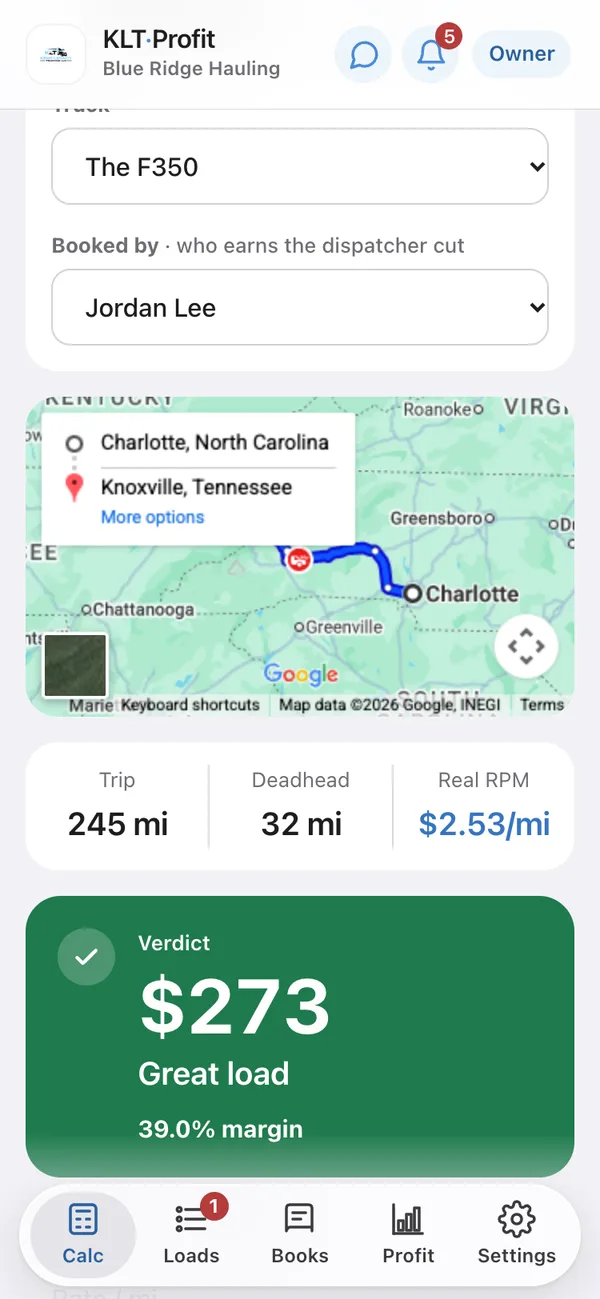
The same load, three different rates
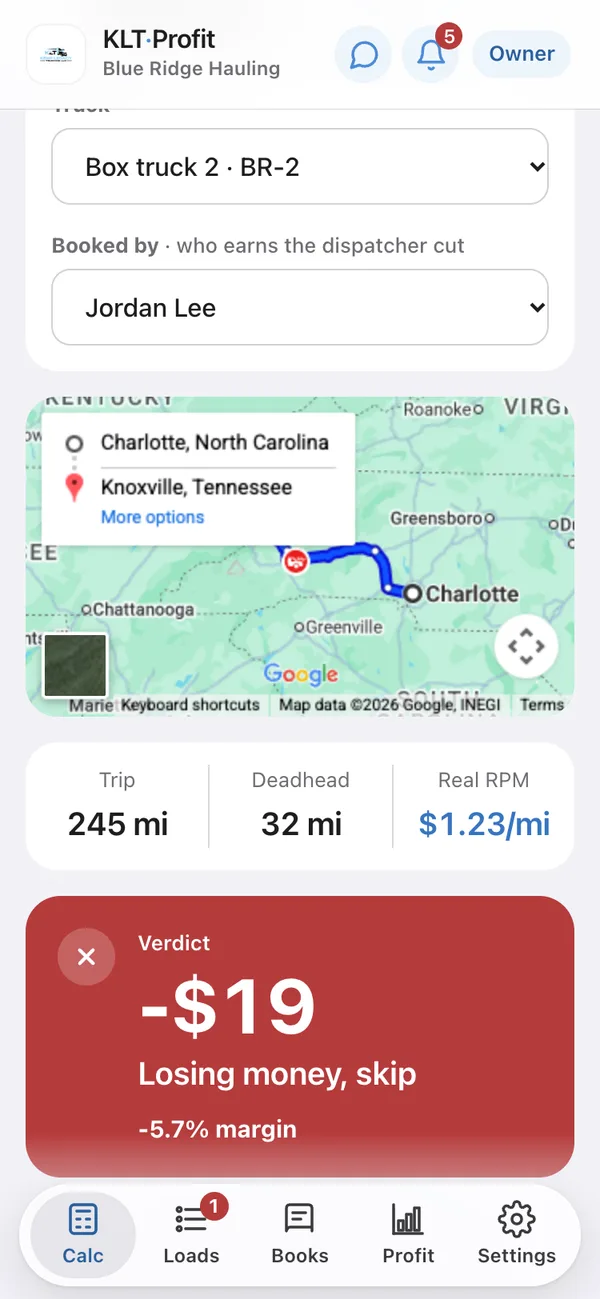
Charlotte to Knoxville. 245 miles, 32 of deadhead.
One run, typed into the app at three prices. Same miles, same truck, same deadhead, same dispatcher. Watch the answer move.
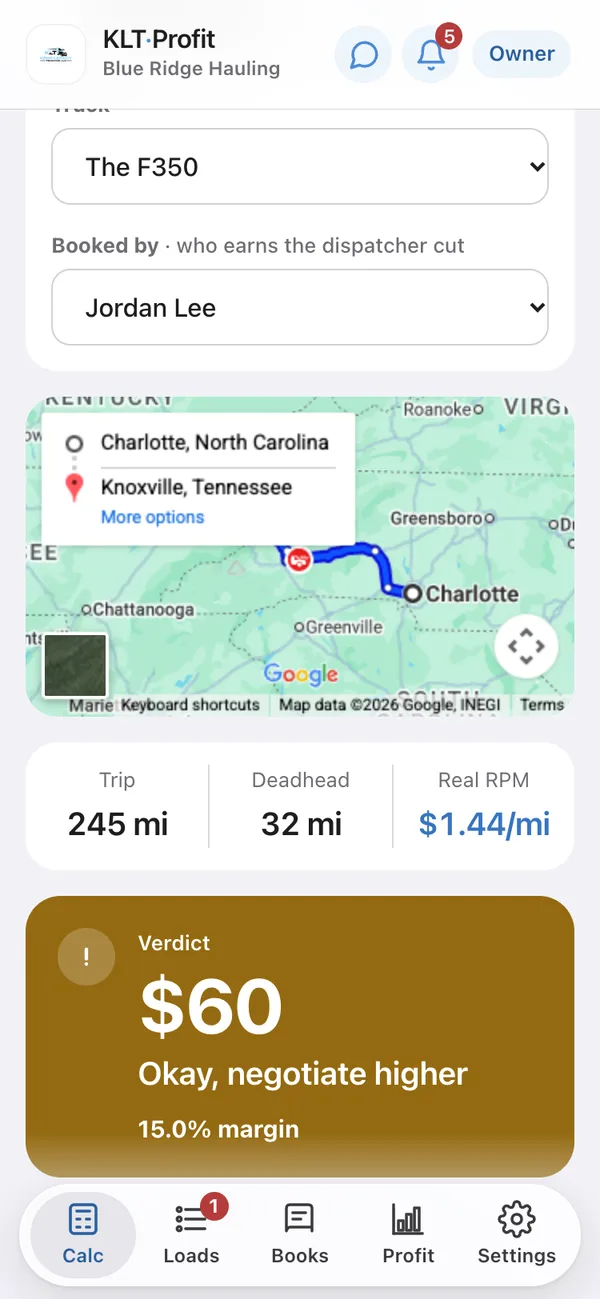
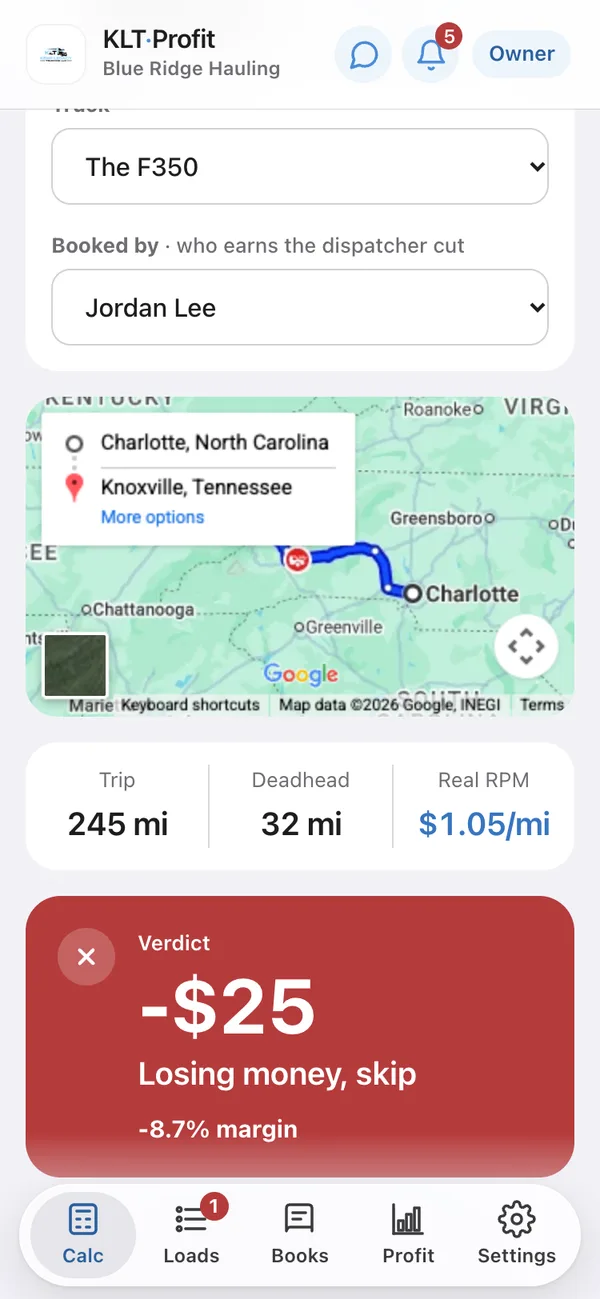
Every screenshot on this page is the real app, running a demo carrier we keep for the purpose: Blue Ridge Hauling, its owner Alex and its dispatcher Jordan. Each of those screens shows the truck, who booked it, the route and the deadhead above the answer, so you can see exactly what went into the number.
Where the number comes from
What comes out of the rate before any of it is profit.
Deadhead
The miles to reach the pickup are miles you paid for. Looked up from where your truck is sitting and added before the rate is worked out, so $3.20 a mile quietly becomes $2.55.
Fuel at your MPG
Not a national average. Your truck's real mileage and the diesel price you put in, changed whenever the pump moves.
What the truck costs standing still
Insurance, the note, tags, maintenance. Spread across the miles you plan to run each month, so every load carries its share.
The dispatcher's cut
Every load carries your dispatcher's percentage, adjusted to the rate of whoever actually booked it, you included.
Setup asks what you run and starts every one of those from a figure that already fits it. You correct what you know and keep what you don't, and it is all one screen you can change any time diesel moves. What is left after all four, less the share you set aside for taxes, is the number on the verdict. The full method, with the arithmetic.
You and your dispatcher
Nothing gets booked until you have seen the number.
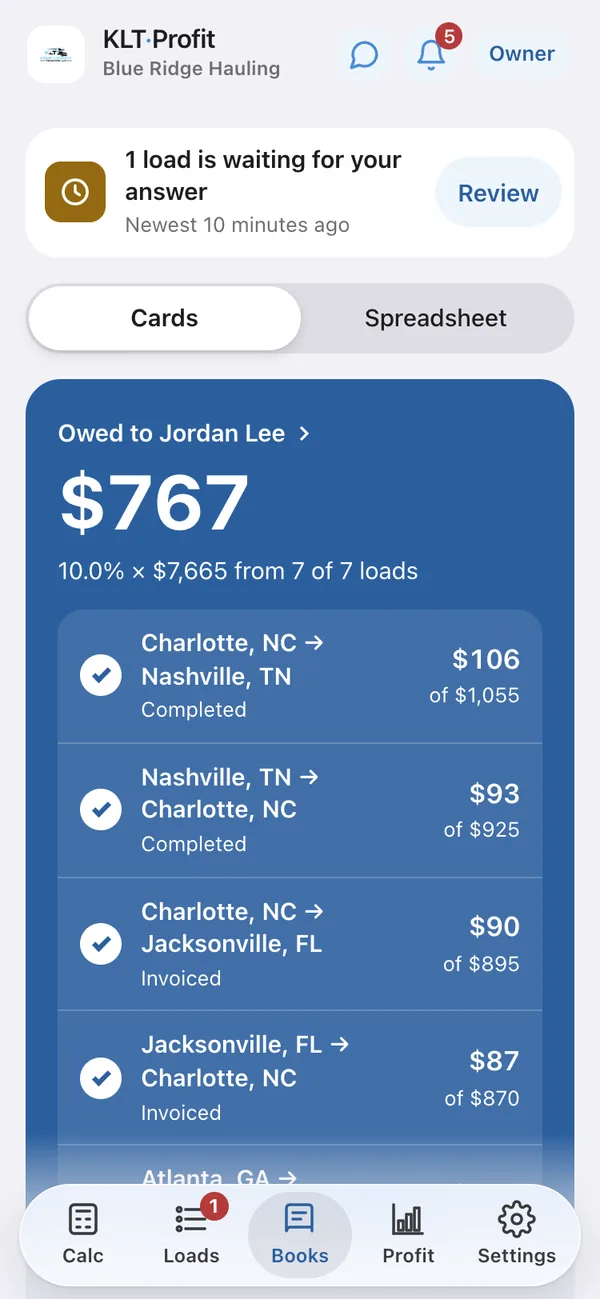
Your dispatcher finds the load and sends it over. It lands in your app already priced: what is actually left after fuel, deadhead, the truck and their cut. One tap approves it. Their pay is worked out at their own rate, on the loads they booked.
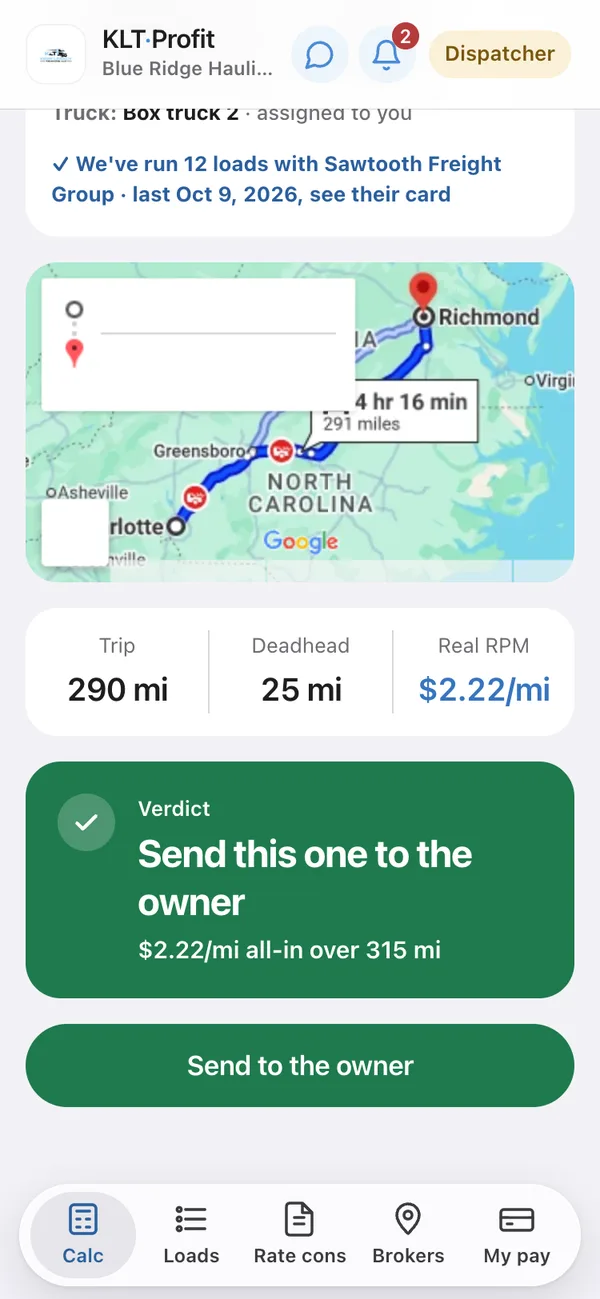
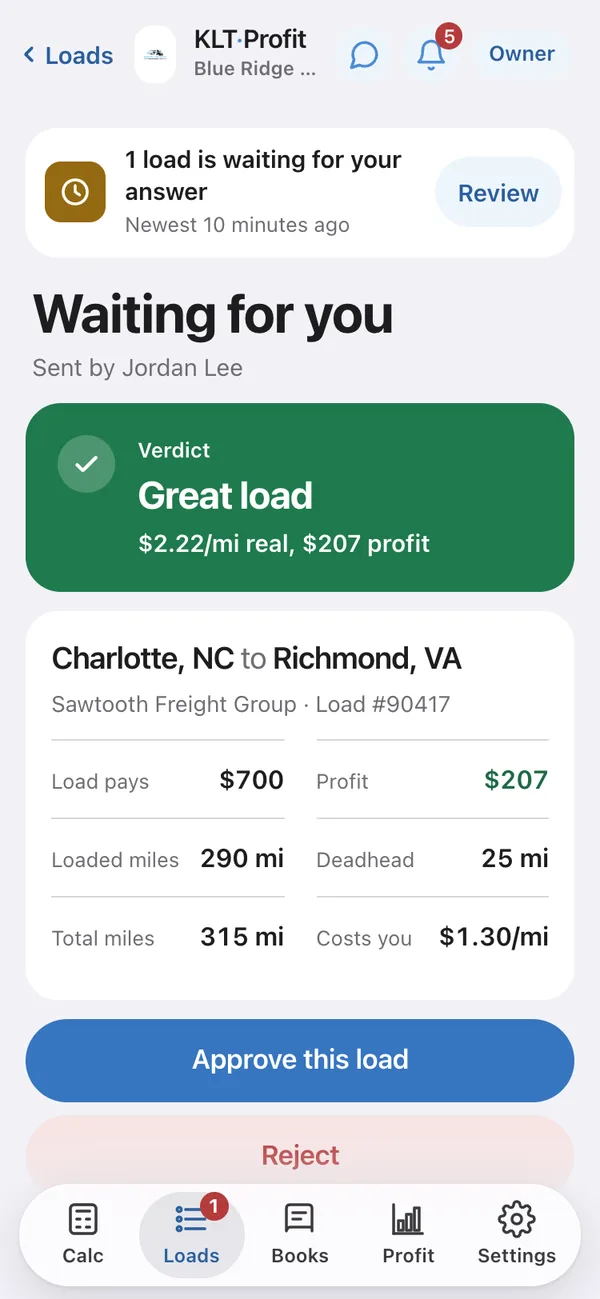
- The dollars stay on your screen. Your dispatcher sees the verdict and the rate per mile, never your cost or your margin.
- One tap says yes. The load waits on your phone with the whole answer on one screen. Approve it, or turn it down and say why.
- Dispatchers are free. At every size, on every plan, each on their own percentage.
Once you have booked it
Send it the rate con. The paperwork fills itself in.
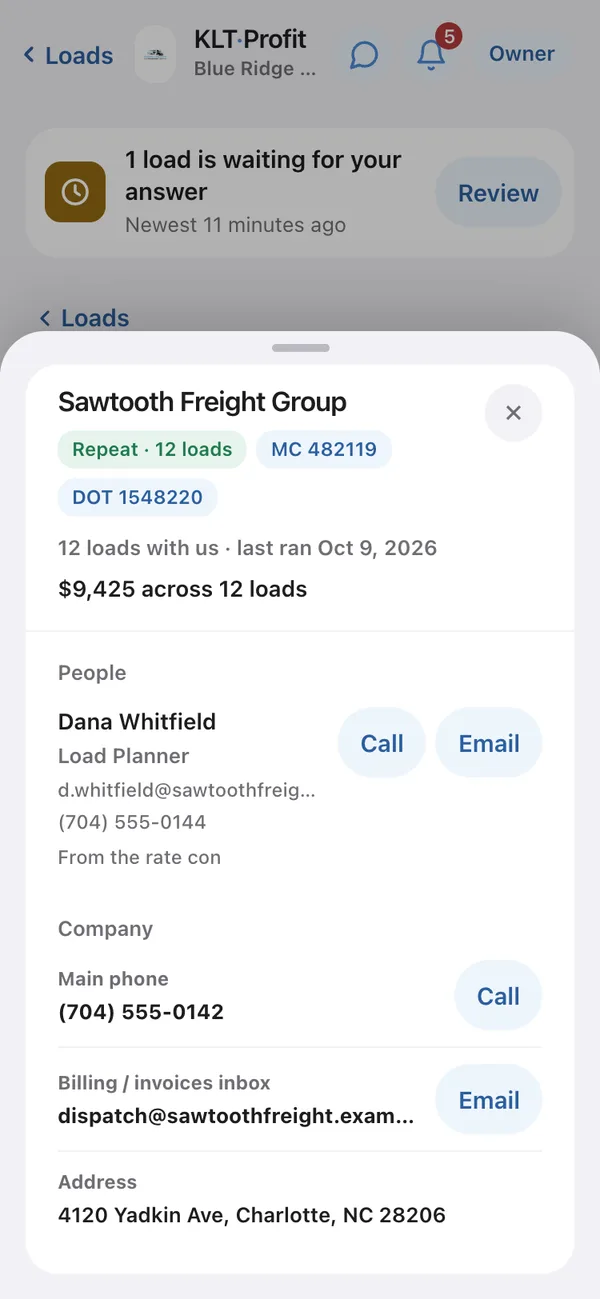
Upload the confirmation the broker sends after you agree, as a PDF, Word or Excel file. It pulls the load number, the broker, their MC number and the person on the load, files the document against the load, and adds the broker to your book. Nothing gets typed twice.
- Your broker book writes itself. Every rate con adds the company, their MC number, the phone that gets answered and the name on the load.
- Who actually pays. $9,425 across 12 loads tells you more about a broker than any load board rating.
- Filed against the load, for good. Open it whenever a broker asks what was agreed. Your dispatcher can file it from their side too.
And then it keeps score
Every load you run makes the next verdict more honest.
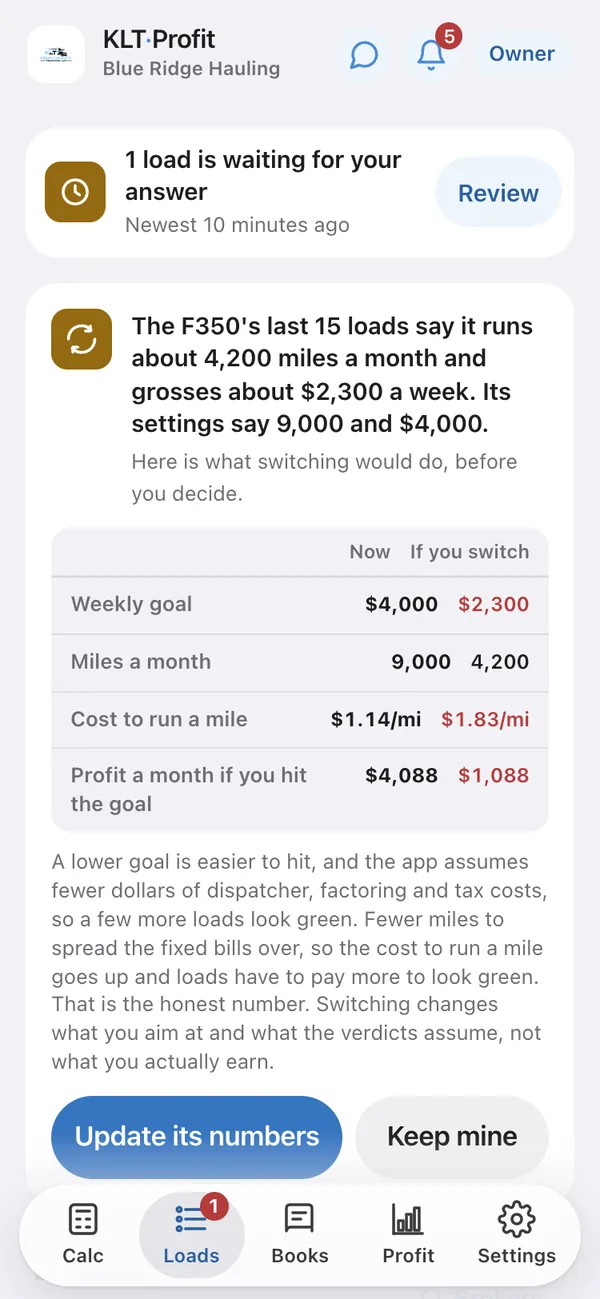
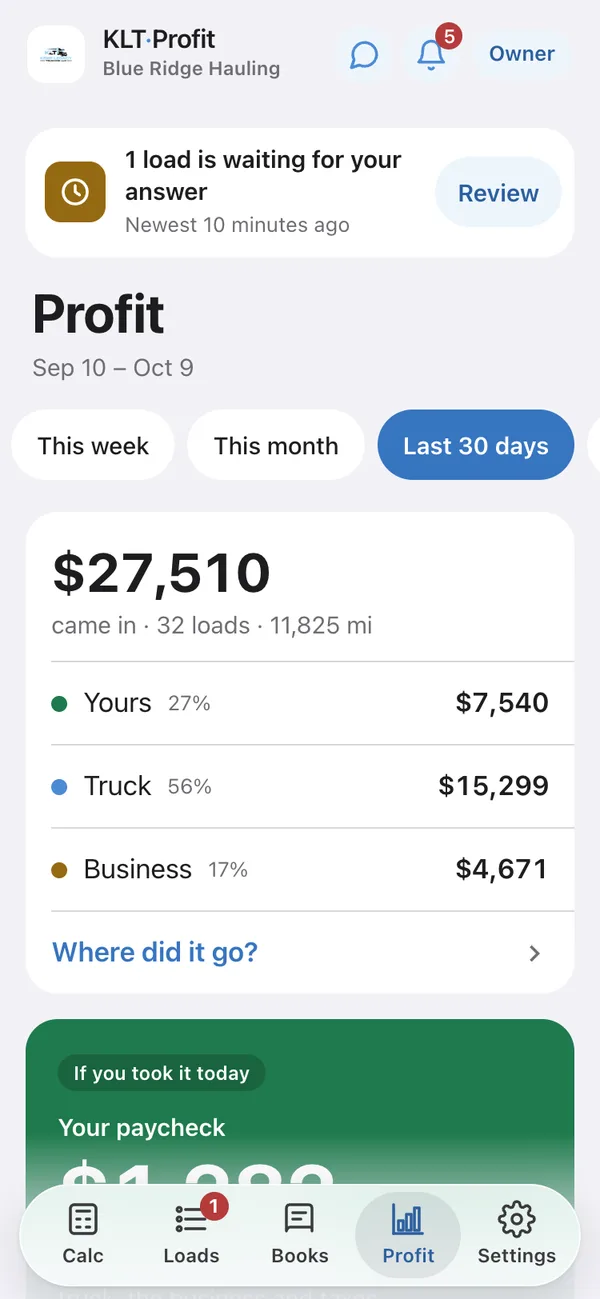
Cost per mile is only as good as the miles and the money behind it, and at setup some of that was a best guess. The app keeps the real records, checks your numbers against them, and shows you what the business actually kept.
Who runs it
Built for one truck. Holds up at ten.
An F350 and a box truck do not cost the same per mile, so the app stops pretending they do. Add a truck and it gets its own diesel, MPG, insurance, payment and repair budget. Anything you leave blank uses your company defaults.
- Same load, different truck, different answer. Pick the truck and the whole verdict moves with it.
- Each truck has its own location pin, so deadhead is figured from where that truck actually sits.
One price. All of it.
Every feature, every dispatcher, on every plan. The only thing that moves the price is how many trucks you run.
Three loads like the red one above cost more than a year of this.
30 days to change your mind.
One truck is $24.99 a month or $275 a year. Every truck after that adds $5.49 a month, or $60 a year. Dispatchers are free at every size.
30 days, money back. Cancelling is a button, not an email, and you see the exact figure before anything is refunded. The full policy.
When the 14 days are up, you keep
- Every load you entered, and what each one made
- Your books and your pay history
- Your broker list
- Spreadsheet downloads of all of it, any time
What stops
- Adding new loads
- Working out whether the next load pays
- Reading rate cons
- Adding dispatchers
Straight answers
The questions people ask before they sign up.
How do I know whether a truck load is profitable?
Take the rate the broker is offering and subtract everything the run costs you: fuel at your truck's real MPG and the diesel price you actually paid, the deadhead miles to reach the pickup, the share of insurance, the note, tags and maintenance that those miles carry, and the dispatcher's cut. What is left is profit. KLT Profit does that arithmetic against your own numbers and answers take it, push for more, or walk away.
Does it include deadhead miles?
Yes, and before the rate per mile is worked out rather than after. The miles from where your truck is currently sitting to the pickup are looked up and added to the run, so a load advertised at $3.20 a mile quietly becomes $2.55 once the empty miles are counted. Every truck carries its own location pin, so a two-truck carrier gets two different deadhead figures for the same load.
How does it work out cost per mile?
Two buckets. Fuel is your MPG against the diesel price you paid this week. Everything else the truck costs whether it moves or not, meaning insurance, the payment, tags, maintenance, load boards, factoring, a driver's pay and the money you set aside for taxes, is spread across the miles you run in a month. Add the dispatcher's percentage and you have the number every verdict is measured against. The arithmetic, in full.
Can my dispatcher see my profit?
No. A dispatcher sees the load, the miles, the deadhead, the rate per mile and a green, amber or red verdict. They never see your cost per mile, your margin or the dollars you keep. They price a load and send it over, it lands on your phone with the whole answer on it, and nothing is booked until you tap approve.
Can it read rate confirmations?
Yes. Upload the rate confirmation as a PDF, Word or Excel file and it pulls out the load number, the broker, their MC number and the person named on the load, files the document against that load, and adds the broker to your book with their phone number. Nothing gets typed twice, and the paperwork stays attached to the load for whenever a broker asks what was agreed.
Does it work for box trucks, hot shots and semis?
Yes. Setup asks what you run, then starts every cost from a figure that fits that class of truck: hot shot, box truck, cargo van or semi. You correct the numbers you know and keep the ones you do not. Small fleets can give each truck its own diesel price, MPG, insurance, payment and repair budget, so the same load gets a different answer on a different truck.
What happens when the free trial ends?
Nothing is deleted and nothing is held back from you. You keep every load you entered and what each one made, your books, your pay history, your broker list, and you can download all of it as spreadsheets at any time. What stops is the working part: adding new loads, pricing the next one, reading rate confirmations and adding dispatchers. There is no card to start the 14 days.
Who builds this?
Kemp Legacy Trucking, a working hot shot carrier running an F350 out of Georgia. The app started as the spreadsheet we used to decide whether a load was worth taking, and every feature on this page exists because a real load went wrong without it. The whole story.
Find out what your last load actually paid.
Sign up, answer a few questions about your truck, and put in the last load you ran. Two minutes to a real number.